Screen 19 of 19 · Accounts and access
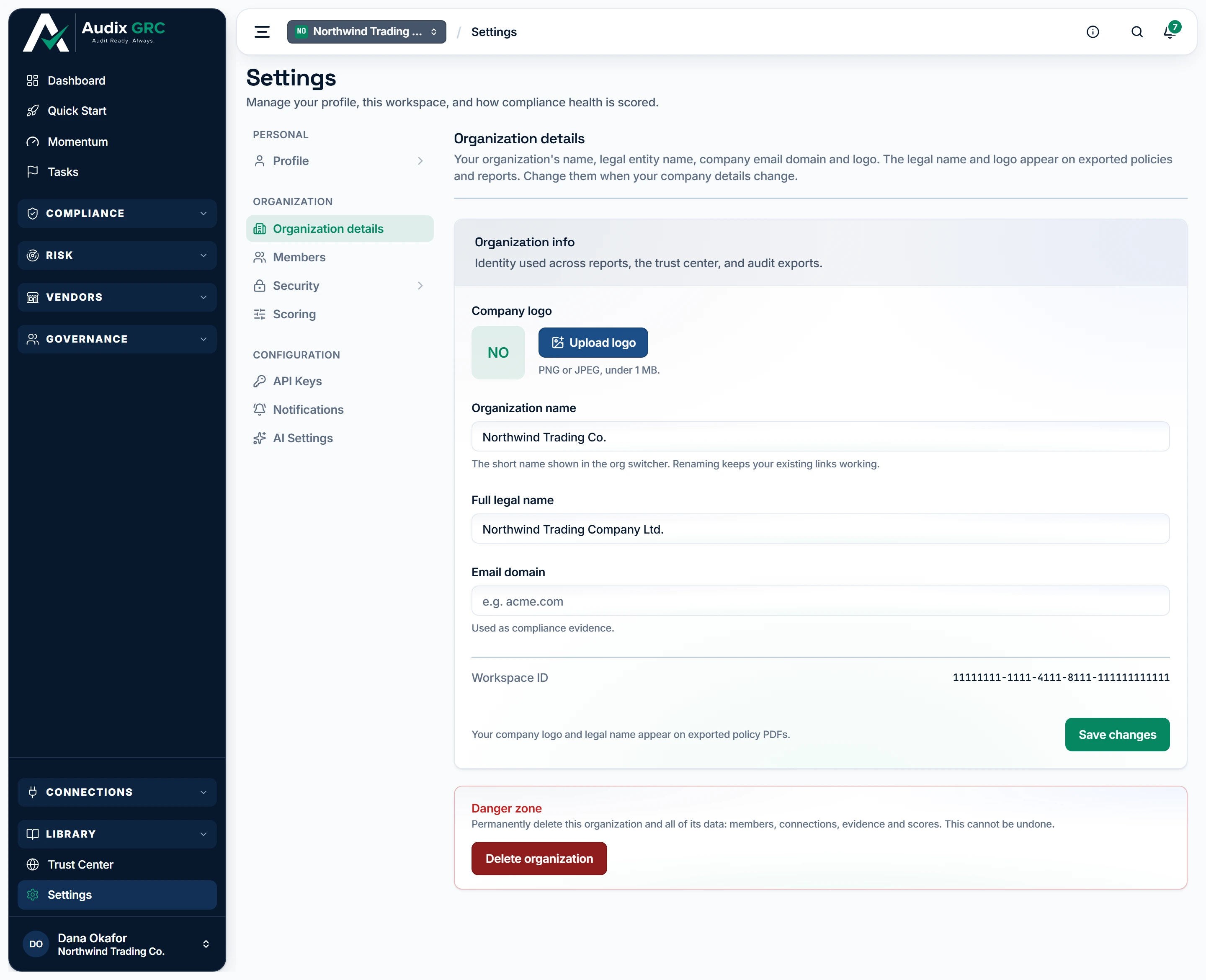
Settings, Organization details
Your organization's name and branding, and the danger zone where an admin deletes the organization and everything in it.
- Members. Who is in this organization: an admin invites people from here, sets the role each one gets, and takes them out again.
- API Keys. Personal access tokens that call the API as you, in this organization: read only, read and change data, or CI uploads only, and never with more access than the role you hold at the time.
The organization name and branding, and Delete organization.
In Accounts and access
The task on this screen
Delete the organizationLive
Remove an organization and everything collected under it.
As a member
- Not available. Only an admin of that organization can delete it.
As an admin
- Open Settings, then Organization details.
- In the Danger zone card, click Delete organization.
- Type the organization name into Delete this organization? to confirm.
- You land in another organization you belong to, or on the screen that says you are not in an organization yet.
Rules that apply
- Deleting takes the memberships, the connections, the evidence, the stored files and the scores with it.
- There is no undo and no export step. Take what you need before you confirm.
- If the organization requires two-step verification, deleting it is refused from a sign-in that has not proved it.
- A workspace that Audix staff have paused cannot be deleted by its own admin. The refusal reads "This workspace is paused. Contact sales@audixgrc.com to restore access."
- The admin of a trial that has locked can still delete it, with Delete workspace on the locked page.