Screen 07 of 19 · Accounts and access
Verify Your Email
Enter the six-digit code emailed to you to prove the address is yours, before your new account can sign in.
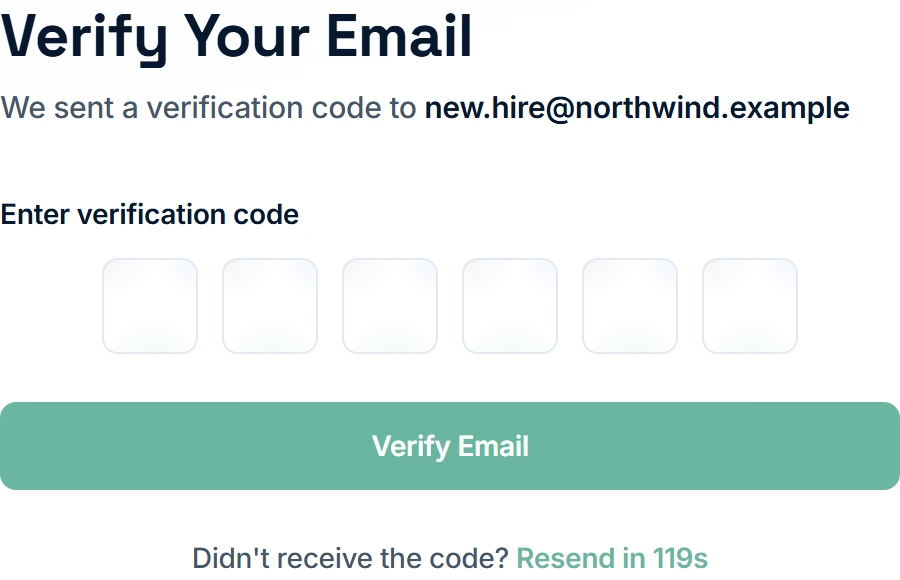
- Six digits from the mailbox. Typing the code proves you can read mail at that address, which is what joins the account to the organization that invited it.
- Resend, once the wait is over. The countdown matches the server's own gap between codes, so the button is never offered while a press would be refused.
Six one-digit boxes, Verify Email, and Resend code behind a 60 second countdown.
In Accounts and access
Tasks on this screen
Verify your email with a codeLive
Proves the mailbox before the account can sign in, and joins you to the organization that invited you.
As a member
- Open the email "Verify your email - Audix GRC". It carries a six digit code that lasts 10 minutes.
- Type the six digits into the boxes. Verify Email turns on at six digits.
- You see "Email verified successfully!" and land on the sign-in form. Sign in with the password you set at sign-up.
- A wrong code gives "Invalid email or OTP". An old one gives "OTP has expired. Please request a new one". Click Resend code and try again.
Rules that apply
- Verifying does not sign you in. You enter your password once more.
- Resend code waits 60 seconds on screen, and the server refuses a second code within two minutes of the last one.
- Each code allows five tries. After the fifth wrong one it stops working, and the next try reads "OTP has expired. Please request a new one". Resend code sends a new code with five tries of its own.
- Verifying accepts the invitation you registered from, and only that one. Any other invitation to your address stays pending and appears as a banner after you sign in.
- An address that is already verified gets "Email is already verified".
- Opening the screen without an address shows Missing Email. Go back to the email or the sign-in form.
Reset a forgotten passwordLive
Set a new password using a code sent to the address on the account.
As a member
- Click Forgot password? on the sign-in screen, type your email, click Send Reset Code.
- The reset screen opens whether or not that address has an account. The product never says which.
- Open "Password Reset OTP - Audix GRC". The six digit code lasts 10 minutes.
- Type the code, a New Password of at least 10 characters, and Confirm Password. Click Reset Password.
- You see "Password reset successful!" and go to the sign-in form.
Rules that apply
- A reset also marks your address verified, so an account that never finished verification is not stuck at the verification step.
- A reset ends every session of your account on every device, the same as changing your password does. You sign in again with the new one.
- A reset ends a pause on two-step codes. Your two-step verification stays on, so the next sign-in still asks for the second step.
- Resend code waits 60 seconds on screen and two minutes on the server.
- A wrong code gives "Invalid email or OTP". An old one gives "OTP has expired. Please request a new one".
- Each reset code allows five tries. After the fifth wrong one it stops working and reads as expired, so request a new code.