Screen 02 of 8 · Dashboard and setup
Choose frameworks
What a new workspace's dashboard asks first: choose the frameworks you are working towards, then connect your stack so checks can start.
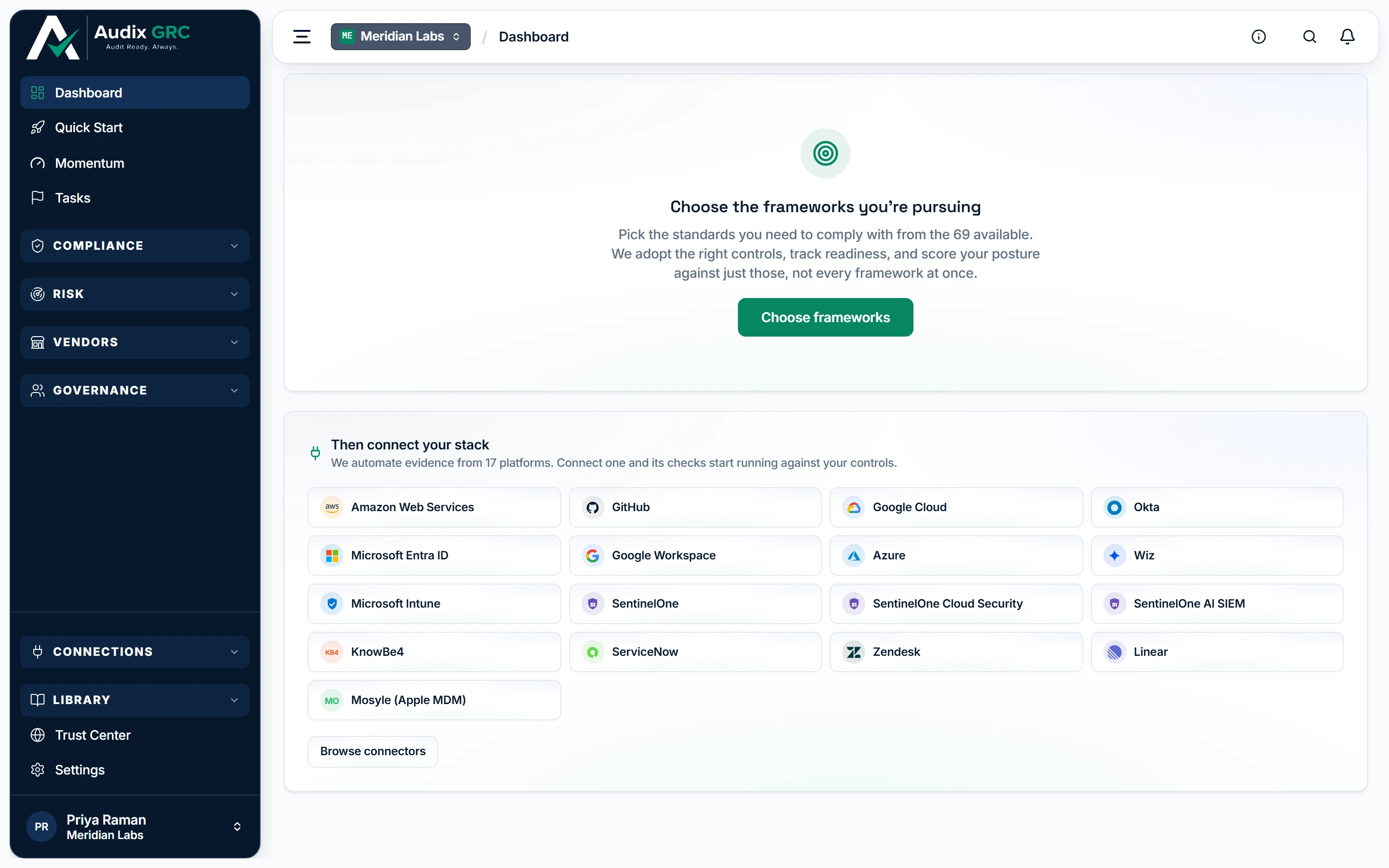
- Choose a framework first. Audix adopts the controls it requires and scores you against those, rather than every framework at once.
- Then connect your stack. Checks start collecting evidence on a schedule.
Flow
What setup actually does
Replaces the whole dashboard with two panels: Choose the frameworks you're pursuing and Then connect your stack.
In Dashboard and setup
The task on this screen
See where you standLive
One screen that states your compliance position and links every number to the page that produced it.
As a member
- Sign in. The dashboard is the landing page.
- Read the top band: Org Health Score out of 100 with N/M frameworks ready under it, Controls under scope, and Controls under exception with the waived percentage.
- Read the register band: Assets, Employees, Repositories. Employees counts current staff on the roster: employees and contractors, not leavers or service accounts.
- Scroll the cards: automated tests, frameworks, posture trend, upcoming work, integrations, personnel, policies, evidence status and the worst controls.
- In automated tests, each count (Passing, Failing, Inconclusive, Not applicable) has an ⓘ hint saying what it means and whether it can move your score. Click a category name to open a side panel listing that category's failing checks, each with how long it has been failing. Click a check to open it. The number beside the category still opens the same checks filtered in Monitoring.
- Click a tile to drill in. Org Health Score opens Frameworks, Controls under scope opens the in-scope controls, Controls under exception opens the active exceptions, Assets opens the asset register, Employees opens Personnel.
As an admin
- Everything a member does.
- Act on the amber strip N exceptions awaiting approval. It opens the pending list, and approving an exception is admin-only.
Rules that apply
- A read that fails is never shown as a zero. If the register counts cannot be read, the whole band is replaced by a line saying they were left out rather than shown as zeros.
- The score covers only the frameworks you selected. 0/2 means your two, not two out of the whole catalog.
- Until you select a framework, the whole dashboard is replaced by the Choose the frameworks you're pursuing panel.
- Results are out of date appears at the top when your connections synced newer data than the checks have run on, or when no full run of the checks has finished since the time it names.
- Automated test results are filtered to checks that can actually run. A check for a platform you never connected is dropped, not counted as not applicable.
- The Policies card reads N of M published over the policies in force, with a bar. Under Needs attention it lists, most urgent first: Past the renewal date, Drafts not yet sent for approval, No owner, Waiting for approval, Approved, ready to publish, and Renews within 30 days. Nothing needs attention appears only when there are no drafts, every policy has an owner, none is waiting for approval and none is due for renewal.
- Upcoming work lists dated work from every module: evidence renewals (which open the control's Evidence tab), policy renewals, vendor reviews, access reviews, policy reviews, risk reviews, risk treatment steps, risk sign-offs, vulnerability deadlines, tasks and audit follow-ups among them. A kind of work this page does not know yet links to Tasks.
- Repositories is the only tile with no link. No page in the app lists every repository.
- How long a check has been failing is a separate read from the counts. If it cannot be read the panel still lists every failing check and shows each one's latest run instead, and says that is what it is showing.
- Since at least on a row means every run held for that check has failed, so it may have started failing before the date shown. A check with no verdict has returned neither a pass nor a failure since that date, which is not the same as failing.
- When a test result lands after the last score was calculated, a banner says the score is recomputing and the page reloads itself once.