Screen 07 of 8 · Dashboard and setup
Suggested work
Controls that need attention right now, with the issue, the evidence and the owner, ready for an admin to turn into tracked tasks.
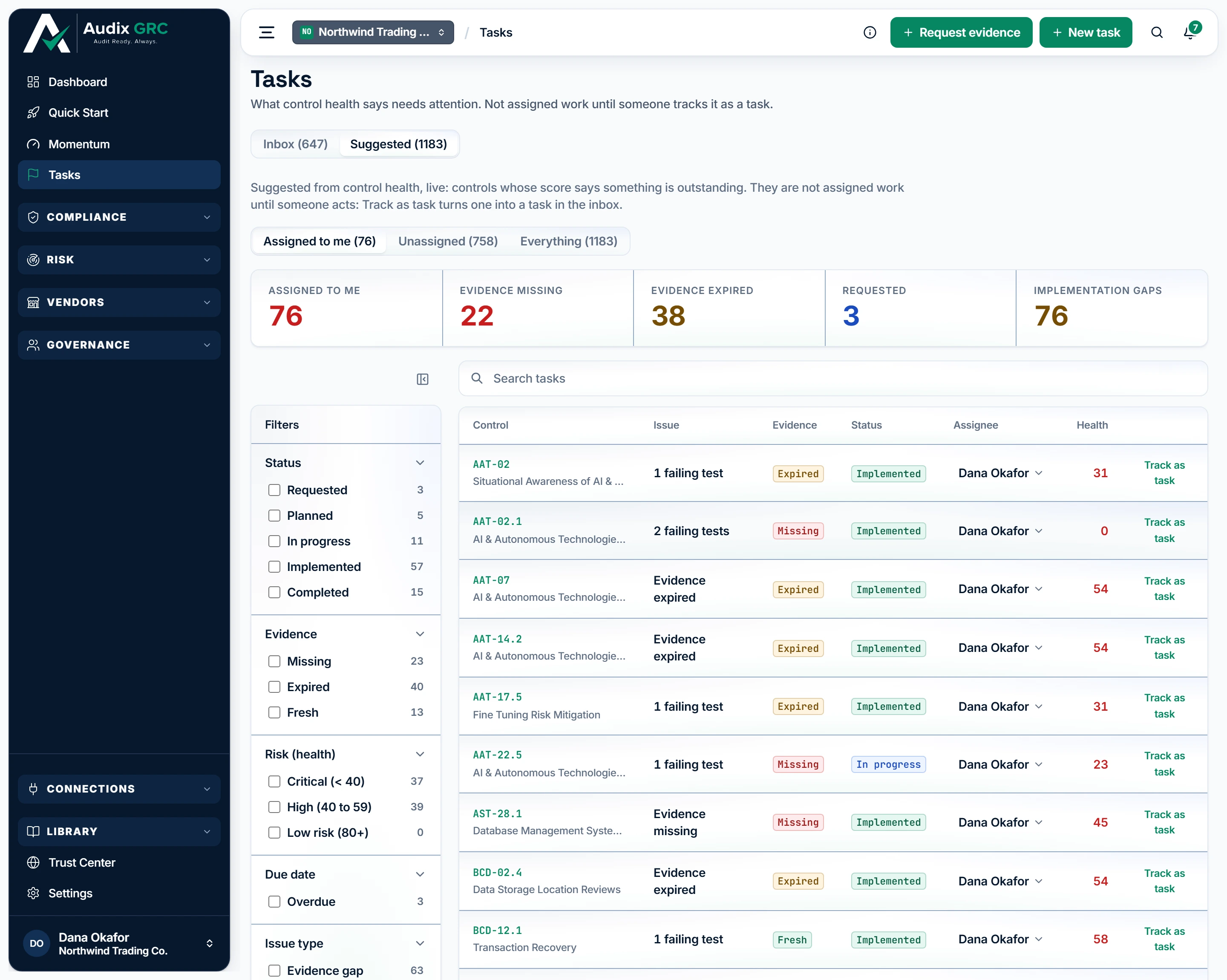
- Whose suggestions. Assigned to me is what reaches you as a control's owner, through an evidence request or a task; Unassigned is what nobody owns yet; Everything is the whole list.
- What kind of work. Evidence missing, evidence expired, already requested and implementation gaps, counted for the scope you chose.
- Track as task. An admin turns a suggestion into a task in the inbox. Until then it is a suggestion, not assigned work.
Controls whose health says something is outstanding, scoped by Assigned to me, Unassigned or Everything, with stat tiles, a filter rail, a table of Control, Issue, Evidence, Status, Assignee and Health, and Track as task on each row.
In Dashboard and setup
The task on this screen
Turn a suggestion into a taskLive
The Suggested tab is what control health says needs attention. Nobody owes a suggestion until an admin tracks it as a task.
As a member
- Open Tasks and click Suggested. Each row is a control whose score says something is outstanding.
- Scope it with Assigned to me, Unassigned or Everything, each with a count, and read the tiles: Evidence missing, Evidence expired, Requested and Implementation gaps.
- Filter from the rail: Status, Evidence, Assignee, Risk (health), Due date, Issue type. Options inside one group widen the result, options across groups narrow it.
- Search with Search tasks. Read Control, Issue, Evidence, Status, Assignee and Health, and hover Health for the three factors behind it.
- Click a control code or its issue to open the control and do the work.
As an admin
- Click Track as task on a row. The task drawer opens with the control already linked. Add an owner and a due date, then click Create task.
- The row then carries Tracked, and the task is in the inbox.
- Click the Assignee cell to make someone the control's owner, or pick Unassign.
Rules that apply
- A suggestion reaches Assigned to me when you own the control, hold an open evidence request for it, or own an open task tracking it.
- If nothing is yours, the tab says so and offers Show unassigned and Show everything.
- Controls marked not applicable never appear. Ready controls are hidden until you pick the Completed status.
- There is no invite row in the assignee picker. New people join through Settings, Members.