Screen 04 of 6 · Activity and settings
Tests
Every automated check the workspace can run, whether your connections can feed it, which tools supply it, and whether it is in use.
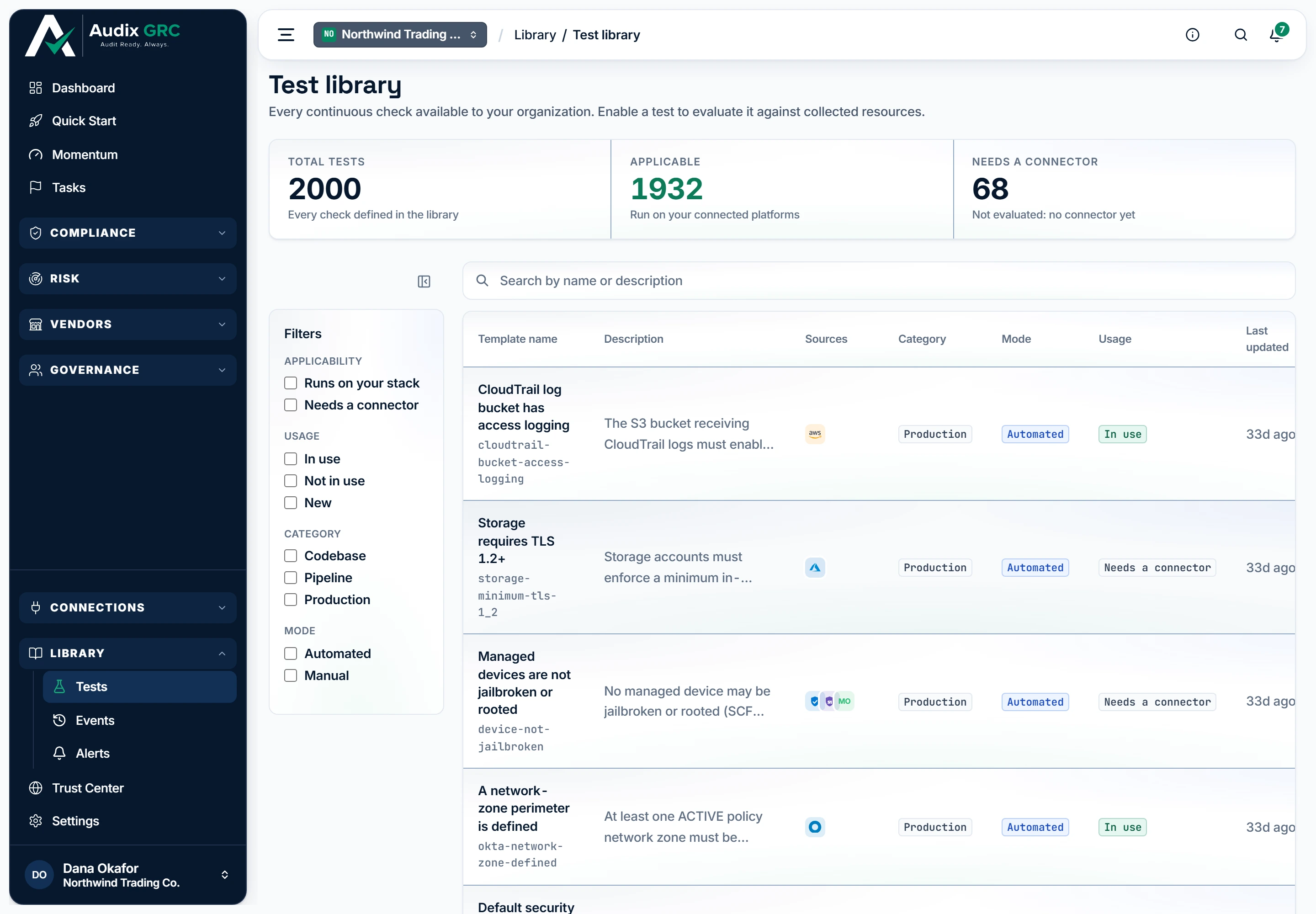
- Every check, and whether it can run. The library holds every check defined for the workspace and separates the ones your connected platforms can answer from the ones still waiting on a connector, which are never evaluated and never scored.
- Find a check, or narrow the list. Search covers a check's name, description and key; the rail on the left cuts by applicability, whether the check is in use, its category, and whether it runs automatically or is performed by hand.
Why a check says "Needs a connector"
Wider than this screen: swipe sideways across the flow to follow it.
Every check defined for the workspace, with Applicability, Usage, Category and Mode filters and tiles for Total tests, Applicable and Needs a connector.
In Activity and settings
The task on this screen
See every check the platform can runLive
The full catalogue of automated checks, with an honest split between the ones that can run on what you have connected and the ones that cannot.
As a member
- Open Tests under Library.
- Read the three tiles. "Applicable" and "Needs a connector" add up to "Total tests".
- Narrow the list with Applicability, Usage, Category and Mode in the left rail, or search by name.
- Each row shows the check, its key beneath the name, the sources it reads, the category, whether it is automated or manual, and when it last changed.
- Click a row to open that check in Monitoring.
As an admin
- Same as a member. Nothing on this page switches a check on or off.
Rules that apply
- Needs a connector beats every other usage state. The tooltip names which connectors would satisfy the check.
- A check marked New was added in the last thirty days. That comes from the real date, not from a guess.
- A check with no connector behind it is not evaluated and does not count towards any score.
- The whole Library group, Events and Alerts included, is hidden when Audix has not switched it on for your workspace.
1 question
Questions about this screen
Why does the Tests library say "Needs a connector"?
No platform the check reads is connected, so the check never runs and counts toward no score. The tooltip names the connectors that would satisfy it.