Screen 03 of 5 · Vendors
Vendor record
Everything about one vendor: details, internal ownership, approval requirements, security reviews and assessments, documents and sub-processors.
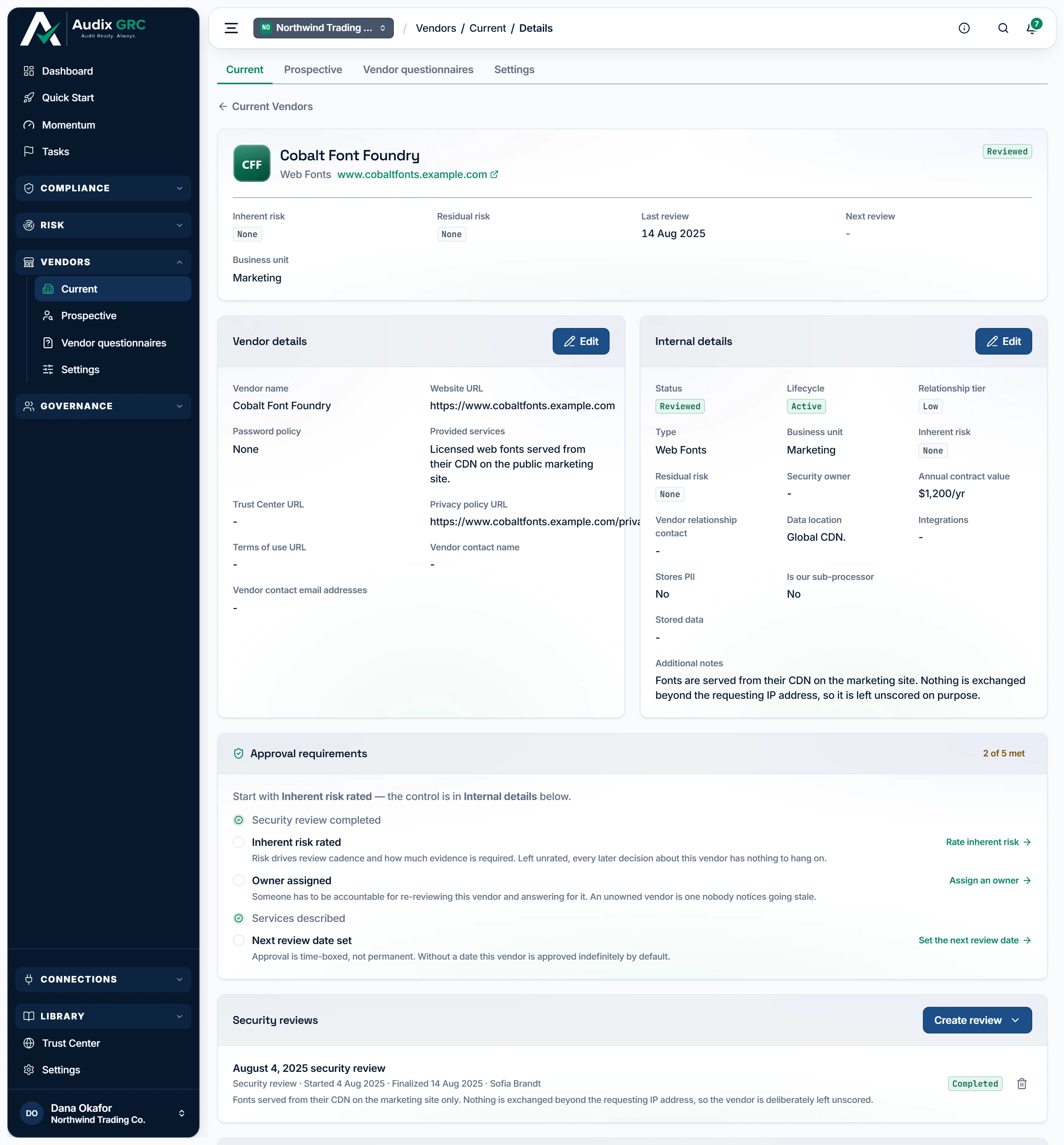
The header, Vendor details, Internal details, Approval requirements, Security reviews, Security assessments, Documents, Sub-processors and Remediation follow-ups.
8 questions
Questions about this screen
What does a vendor need before it can be approved?
Every vendor needs a completed security review, an inherent risk rating, an owner, a description of the provided services and a next review date. A vendor that stores personal information or is your sub-processor also needs its stored data and data location described, and a High or Critical vendor needs a submitted questionnaire that is not marked Not approved. The Approval requirements card on the vendor shows what is still missing.
Who can edit vendors in Audix?
Only admins can add and edit vendors, run security reviews, and manage documents, sub-processors and follow-ups. Members and approvers can read every vendor screen, and an approver can also sign off a submitted questionnaire. An auditor opens only the audits they are assigned to.
Why did a vendor's residual risk change when nobody edited it?
A submitted questionnaire that produces a risk band writes that band onto the vendor's residual risk, sets the last review date to today and recalculates the next review deadline. Below 50 percent coverage no band is produced and the vendor is left unchanged.
What files can I upload to a vendor's documents?
PDF, Word, Excel, PowerPoint, plain text and PNG, JPEG, GIF or WebP images, up to 10 MB each. Pick a category (SOC 2, ISO 27001, DPA, Pen test or Other) and set Valid until if the document expires. Files are encrypted before they are stored.
Will Audix remind me when a vendor's SOC 2 report expires?
Yes, when the document has a Valid until date: it becomes a reminder in the deadline digest and in Tasks, unless the vendor is archived. Once you upload a newer document of the same category that is valid for longer, or has no end date, the old one is no longer chased. Documents filed as Other never replace one another.
Is downloading a vendor document logged?
Yes. Every download is written to your organization's activity log, and admins see it under Library, Events as "Downloaded a vendor document".
What do the colours on vendor statuses mean?
Green means finished well, blue in progress, amber waiting on someone or due soon, red late, failed or refused, and grey not started or set aside. A follow-up that is Open is amber, In progress blue and Resolved green, and a submitted questionnaire Awaiting review is amber. Risk bands keep their own scale.
Can I delete a vendor?
No. There is no way to delete a vendor in the product. To retire one, an admin sets Lifecycle to Archived under Internal details, and archived vendors stay out of the list until you tick Show archived.