Screen 02 of 5 · Controls and Frameworks
Control detail
Everything about one control: what blocks it or keeps it ready, its evidence, automated checks, policies, frameworks, risks and approvals.
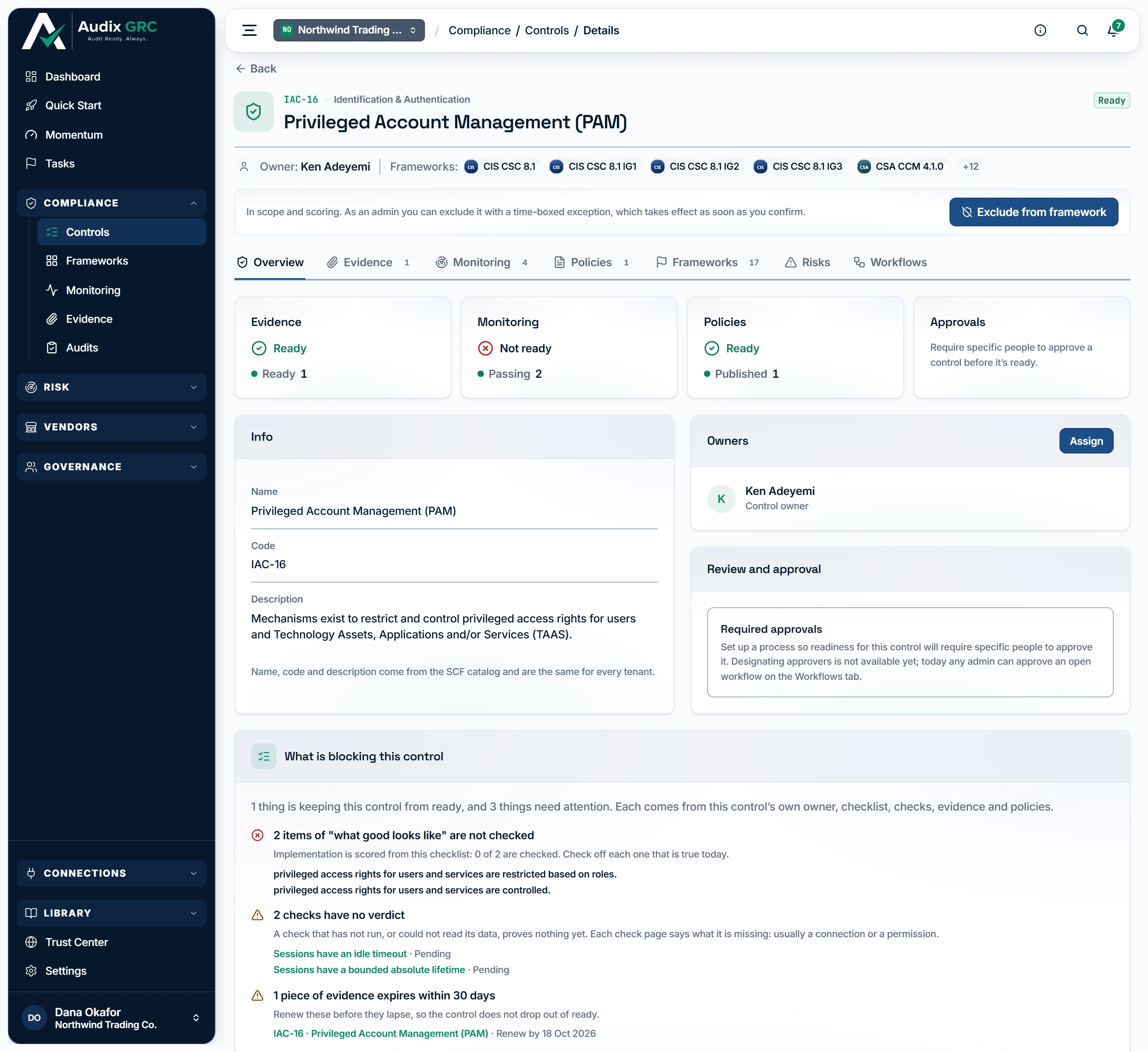
One control across seven tabs: Overview, Evidence, Monitoring, Policies, Frameworks, Risks and Workflows. The Overview tab names what is blocking the control, or what keeps it ready.
5 questions
Questions about this screen
How is a control's health score calculated?
Health from 0 to 100 blends three factors, Test, Evidence and Implementation, weighted 50, 30 and 20 by default. A control is ready at 80 and above, and admins can change the weights and thresholds in Settings, Scoring. A factor with nothing to measure is left out and the other weights are shared over what is left.
Why does a check on my control say "Disabled, still counts"?
An admin switched the check off while it was failing, or while its last pass was already past the result time limit. A disabled check stops running, but that failure keeps counting against the control until the check is enabled again and passes. A check that was passing when it was switched off counts for nothing while disabled.
What does "Satisfied by test" mean on a checklist item?
A passing automated check ticked that item. It stays ticked only while a linked check passes, is cleared when the check stops passing, and cannot be unticked by hand. A tick you make yourself is never cleared by a check.
How long does evidence attached to a control stay fresh?
An admin can set a Renewal interval on the control's Evidence tab, from 1 to 3650 days, for files and links added there. Without one, new evidence takes its evidence type's interval, then the one its cadence implies, then the default. Evidence a check captures renews on every passing run.
How do I mark a control as not applicable in Audix?
An admin opens the control, sets Implementation state to Not applicable in Manage this control, writes why in Why does this control not apply?, at least 10 characters, and clicks Mark not applicable. The control leaves your score, readiness, Tasks and the controls audit packages list, and auditors see the reason with who marked it and when.